

Free AI rewriters are everywhere. If you type ‘best free AI rewriter,’ you get over 2 million search results! The question now is which ones are actually ‘free’ and ‘best’ and which ones are impostors.
I tested a handful of free AI rewriters (no sign-ups, no emails, no credit cards) using different paragraphs and topics. Some impressed me while others, well, let’s say that there is a massive room for improvement.
Stick around to find the one that could seriously upgrade your writing game, without costing a dime.
Originality.ai Paragraph Rewriter
Website: https://originality.ai/blog/tool-paragraph-rewriter
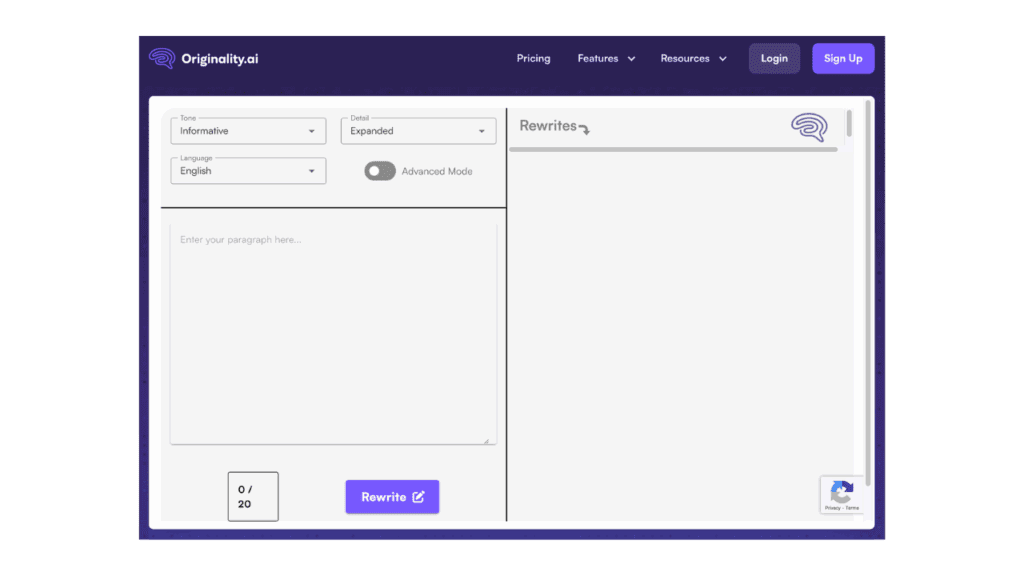
I’ll be honest, it’s surprisingly good for quick rewrites, and you don’t have to exert too much effort.
Just paste your text, pick a tone (like Professional, Humorous, or Conversational), choose if you want it longer or shorter, select a language, and hit Rewrite.
That’s it. You’re done in seconds.
Quick Test
Original:
“Bioluminescence is the ability of certain living organisms to produce light through chemical reactions within their bodies.”
Rewritten (Humorous, Expanded):
“Picture this: some creatures basically have their own built-in nightlights. Yep, thanks to wild little chemical reactions, they glow in the dark. Nature’s got jokes.”
What I Liked
- Tone Selector: You can make your text sound smart, silly, serious, whatever fits.
- Advanced Mode: Toggling the ‘Advanced mode’ allows you to tweak the voice either to passive or active
- Instant Results: Zero wait time.
- Absolutely free: You don’t need an account to test it out.
- Multi-language Support: Handy if you’re writing in languages other than English, such as Spanish, French, etc.
- Comparison View: You can compare the original and new versions.
Where It Falls Short
- Character Limit: You can’t choose an exact number of characters.
- No Tips or Suggestions: You get a rewritten paragraph, but no “why” behind the changes.
- Limited Customization: Cannot provide specific instructions, such as “make this more SEO-friendly.”
- Limited tries: Just 20 free tries per day.
Wish List
If I could change a few things, I’d add:
- A box to explain my rewriting goal (e.g., “Make this sound persuasive”).
- A quick AI note on why specific edits were made.
- Built-in plagiarism check.
Ahrefs Free AI Sentence Rewriter Tool
Website: https://ahrefs.com/writing-tools/sentence-rewriter
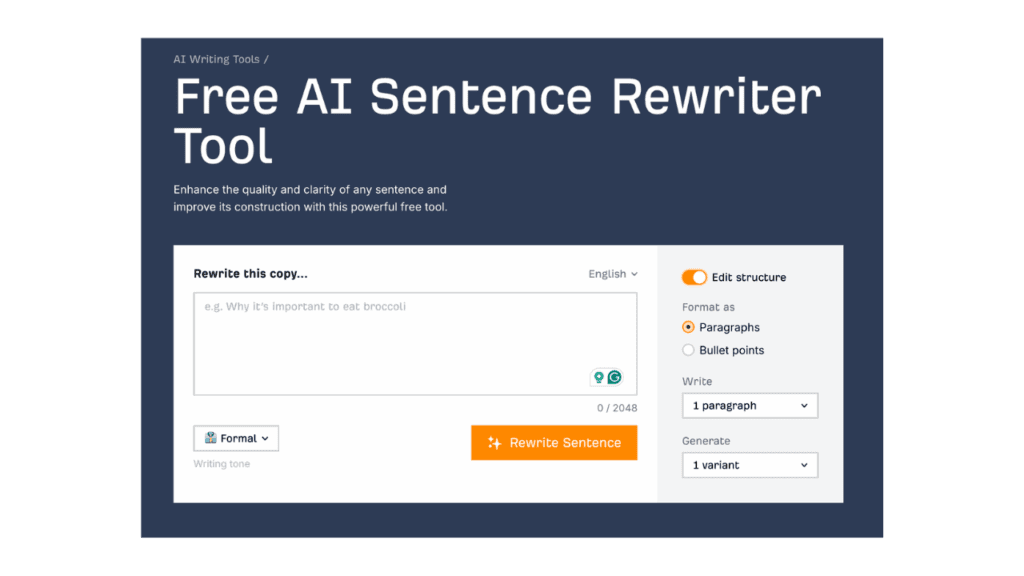
You might know Ahrefs for its Search Engine Optimization tools. But did you know that they now have a rewriting tool?
Just paste your sentence (up to 2048 characters), pick a tone (there are 15, including a custom option where you can type “Sassy,” for example), and select your preferred output format, paragraphs or bullet points. You can even choose how many of each. Oh, and you get up to 5 rewrites in one go. And, yes, you can even export the results.
Quick Test:
Original:
“The name comes from French, from the childish repetition of bon (“good” or “delicious” ): bonbon or bon or bon, which became bombón in Spanish.”
Rewritten (Luxury Tone, 2 Paragraphs):
“The term originates from the French language, stemming from the playful repetition of the word bon, which translates to ‘good’ or ‘delicious’. This evolved into bonbon, or simply bon, and eventually transformed into bombón in Spanish.”
“The name is derived from French, where it is a playful reiteration of bon, meaning ‘good’ or ‘delicious’. This led to the creation of bonbon, or just bon, which later became known as bombón in the Spanish language.”
What I Liked
- Tone Selection: From Professional to Playful to Custom, you can even type your own tone, like “Wild”.
- Format Options: Choose between Paragraph or Bullet Style, up to 3 paragraphs or 10 bullet points.
- Multiple Variants: Get up to 5 rewritten options in one click.
- Multi-language Support: Rewrites are available in multiple languages, making them ideal for creating multilingual content.
- Export Feature: Download or copy your rewrites for easy use.
- Modify Button: You can modify the results by clicking this button, and it will expand options like rephrase, expand, shorten, and translate.
Where It Falls Short
- No Custom Rewrite Goal Field: You can’t explain why you’re rewriting.
- No AI Feedback: You get results, but there’s no explanation of what changed or why.
- No Side-by-Side Comparison: You have to compare the original and the rewritten outputs manually.
- Character-Limit Only: There’s a cap on how much you can paste, but you can’t target a specific word count.
Wish List
If Ahrefs adds a few things, this could go from good to great:
- A box to explain your rewrite goal
- Short AI blurbs explaining major edits
- A plagiarism scanner
- Highlighted differences between the original and rewritten text
Article Rewriter Tool
Website: https://articlerewritertool.com/
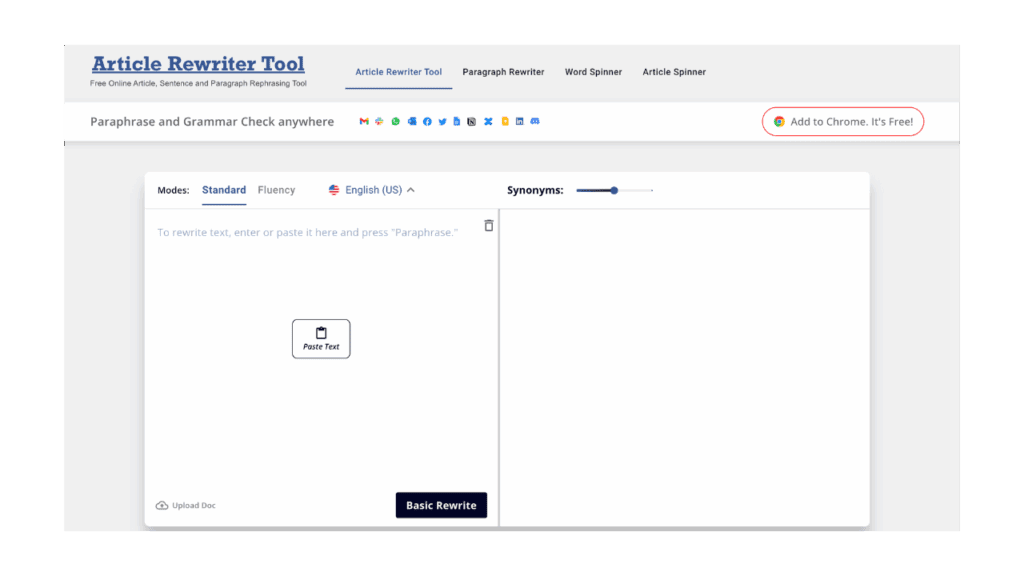
The Article Rewriter Tool is decent if you want basic paraphrasing and grammar fixes, right where you’re working. It plugs into platforms like Gmail, Slack, and more, so you’re not limited to a standalone editor.
Simply paste your text, select either Standard or Fluency mode, choose a language, and adjust the synonym level as needed.
Quick Test
Original:
“Heart Notes. These notes give the perfume its identity, personality, and character, making it unique and setting it apart from the rest. Heart notes are perceived after the first 15 minutes and can linger on the skin for up to 6 hours. They are usually floral and fruity notes, among others.”
Rewritten (Fluency Mode, 50% Synonyms):
“Heart Notes. These notes give the perfume its identity, personality, and character, making it unique and distinguishable from others. Heart notes are detectable after the first 15 minutes and can remain on the skin for up to six hours. They frequently have floral and fruity overtones, among others.”
What I Liked
- Browser Integration: Works seamlessly inside tools like Gmail and Slack, making it super convenient.
- Mode Selection: You can toggle between Standard and Fluency depending on your needs.
- Synonym Control: Let’s you decide how intense the rewrite should be.
- Multilingual Options: Works in multiple languages.
- Fast Output: The rewrite happens instantly.
- Downloadable Result: You can export or download your new text.
Where It Falls Short
- No Style Control: You can’t choose tones like “casual” or “persuasive.”
- Minimal Feedback: Doesn’t explain why changes were made.
- No Comparison Tool: You’ll need to compare the original and new versions yourself.
- Free Version Is Limited: Only basic rewriting, no extra AI enhancements.
Wish List
If I could tweak it, I’d love to see:
- A tone selector for more customization.
- Side-by-side comparison of original and rewritten text.
- AI notes explaining edits.
- Options for improving SEO or readability.
TextCortex’s Free Article Rewriter
Website: https://textcortex.com/templates/article-rewriter
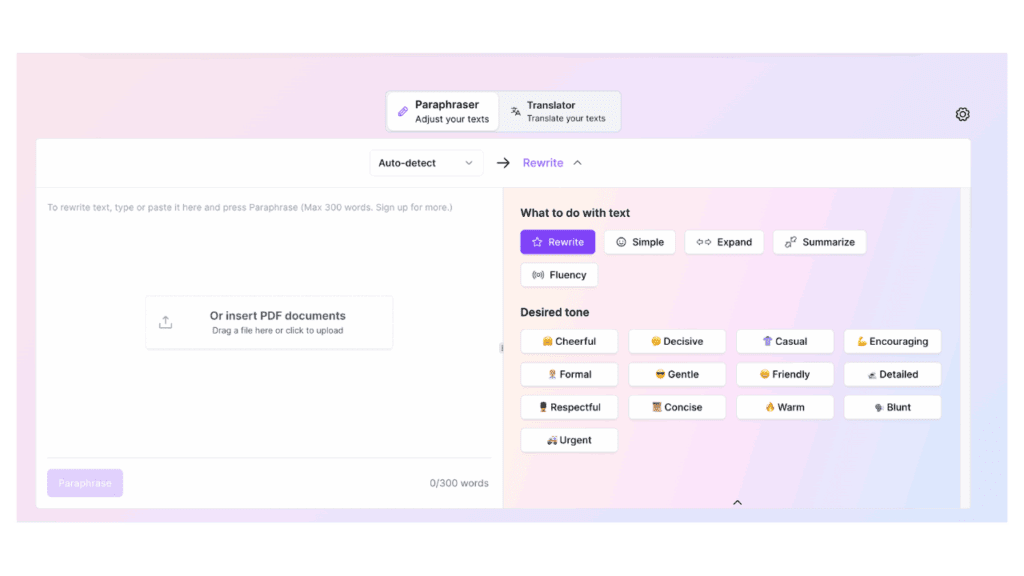
TextCortex’s Free Article Rewriter makes rewriting feel more creative than usual.
Paste your text on the left, and instantly get access to tools like Rewrite, Simple, Expand, Summarize, and Fluency on the right. Then comes the fun part—Tone Options. You’ve got more than a dozen tones to choose from, each giving your rewrite a little extra personality.
Quick Test
Original:
“Blue poison dart frogs are active during the day and can be found hiding among rocks and debris near streams and among the leaf litter on the forest floor.”
Rewritten (🚑 Urgent Tone):
“ACT NOW! Blue poison dart frogs are out in the open, right now, in daylight! Find them hiding under rocks, near streams, and in the leaves on the ground!”
What I Liked
- Built-in Tone Selector: From Blunt to Cheerful, the tone options make it super fun and adaptable.
- One-Click Paraphrasing: Just hit “Paraphrase” and you’re done.
- Multi-Function Buttons: Rewrite, Simple, Summarize, Expand, and Fluency, great for different needs.
- Auto Language Detection: Saves time by switching between languages automatically.
- Instant Output: It’s fast, smooth, and doesn’t glitch.
- Visual Interface: Super easy on the eyes, clean layout with real-time editing.
Where It Falls Short
- Word Limit: You’re capped at 300 words, so long-form content will need to be sliced.
- No Deep Grammar Edits: It focuses on rewriting, not comprehensive grammar correction.
- No Custom Synonym Control: You can’t tweak synonym intensity like some other tools.
Wish List
Would be awesome to add:
- A preview of how the tone changes before clicking “Paraphrase.”
- Inline grammar suggestions or clarity tips.
Quillbot’s Paraphrasing Tool
Website: https://quillbot.com/paraphrasing-tool
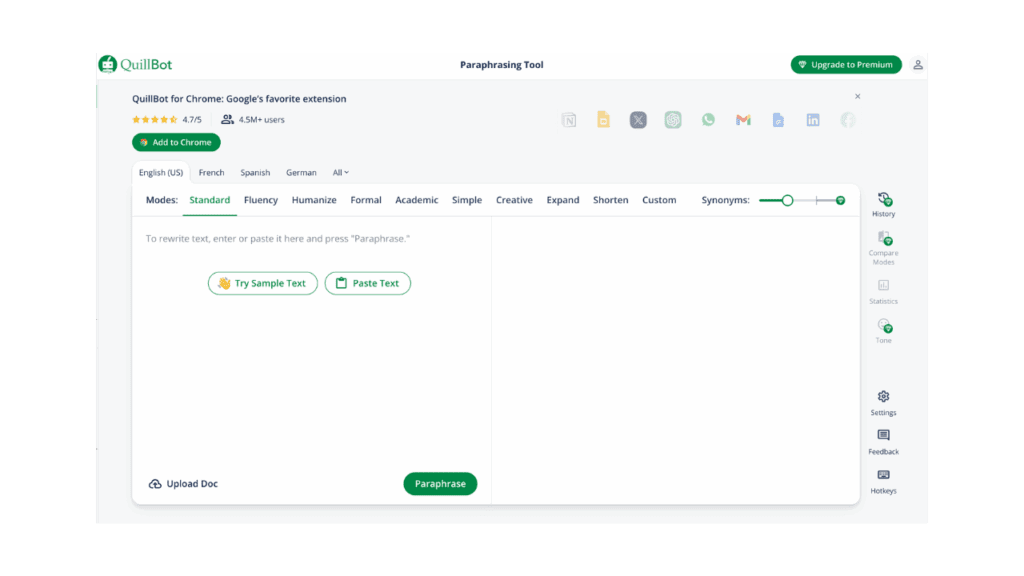
Quillbot is a powerful and user-friendly tool designed to help you rewrite short texts. Just paste your text into the left-hand box, adjust the ‘Modes’ and synonyms, and your paraphrased version will instantly appear on the right. You can use it online or install the free Google Chrome extension.
Quick Test
Original:
“Pavlova owes its name to the famous Russian ballerina Anna Pavlova, who toured Australia and New Zealand in 1926. According to New Zealand lore, the chef at a Wellington hotel at the time created the fluffy dessert in her honor, inspired by her tutu.”
Rewritten (Standard with the Synonym slider set near the free limit):
“The well-known Russian dancer Anna Pavlova, who performed in Australia and New Zealand in 1926, is the inspiration behind the name Pavlova. The fluffy dessert was made in her honor by a chef at a hotel in Wellington at the time, who was inspired by her tutu, according to New Zealand legend.”
What I Liked
- Mode Variety: From Standard to Fluency (free) and Humanize, Formal, Academic, Creative, etc. (premium), you can tailor the tone or complexity to your needs.
- Synonym Slider: Easily control how much the wording changes with a simple slider, great for minor tweaks or major rewrites.
- Visual Feedback: Red is changed words, blue is longest unchanged words, and yellow is for sentence structure shifts.
- Browser Extension: Use it in Gmail, Google Docs, and more with the Chrome extension.
- Multilingual Support: Useful if you need to switch between languages.
- Export Options: One-click to copy or download your results.
Where It Falls Short
- 125-Word Limit (Free): You’ll need to chunk longer texts into smaller pieces.
- Limited Free Modes: You only have access to Standard and Fluency unless you upgrade.
- No True Grammar Checker: It’s a paraphrasing tool, not a full editor.
Wish List
- Expanded word count for free users.
- A built-in grammar or clarity checker to catch awkward phrasing.
- Inline editing suggestions (like Grammarly) for more depth.
Rewriting With ChatGPT
Already tried these tools, but the results are not what you are looking for? Try our ChatGPT prompts:
Ctrl + Alt + Rewrite: Which Tool Wins?
After testing all five, TextCortex takes the lead in versatility and ease, making it great for content creators who want quick, stylish rewrites with tone control.
The second runner up is Quillbot, followed by Originality.ai and then Ahrefs. Whatever you try, remember that even the best AI tool needs a smart user.
And if you’re not getting the results you want, check out these 5 reasons your AI rewrites might be failing—and how to fix them.