

Sometimes, writing even one clear sentence can take longer than it should. And that’s where sentence generator AI tools come in! They are quick and often loaded with some type of writing style customization to give you a much-needed creativity boost.
But here’s the thing. Not every free online sentence generator does a great job. As a matter of fact, others are so bad that they can push you further down into a writing rut.
Keep reading to see which tools are actually worth using, and which ones aren’t.
ProWriting Aid’s Free AI Sentence Generator
Website: www.prowritingaid.com/sentence-generator
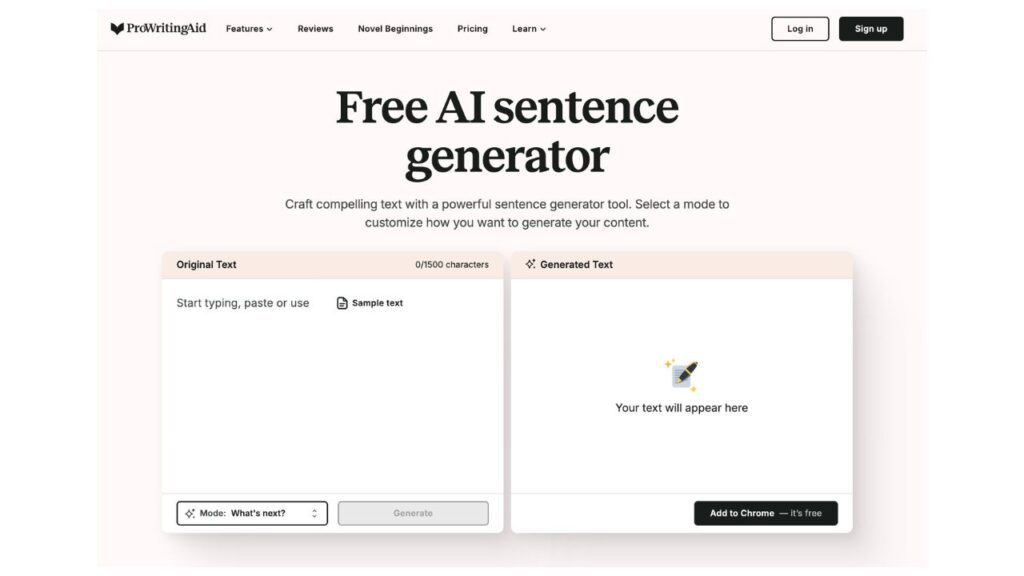
The very moment you arrive on ProWritingAid’s sentence generator, you won’t feel intimidated. The interface uses soft colors and clear labels, so nothing feels overwhelming.
You paste text on the left, and then choose the mode. Options include action, dialogue, emotion, explanation, joke, and more. You also get a “sample text” button if you do not want to type anything.
I gave it a try by using the sample text and setting it to “joke” mode.
This is the precise output that was produced:
Why is it crucial to hone your writing skills? So you can finally prevail in an online debate!
The sentence flowed well and was grammatically correct. And true to the selected mode, the output is funny.
The tool is free, and, well, as you might have expected, it has limitations compared to paid plans. As of this writing, there are two paid subscriptions—Premium and Premium Pro—at $10 and $12 per month, respectively.
Overall, ProWritingAid produces clear, readable sentences. But its customization options are not as diverse as those of its competitors.
Grammarly’s Sentence Generator
Website: www.grammarly.com/ai/ai-writing-tools/sentence-generator
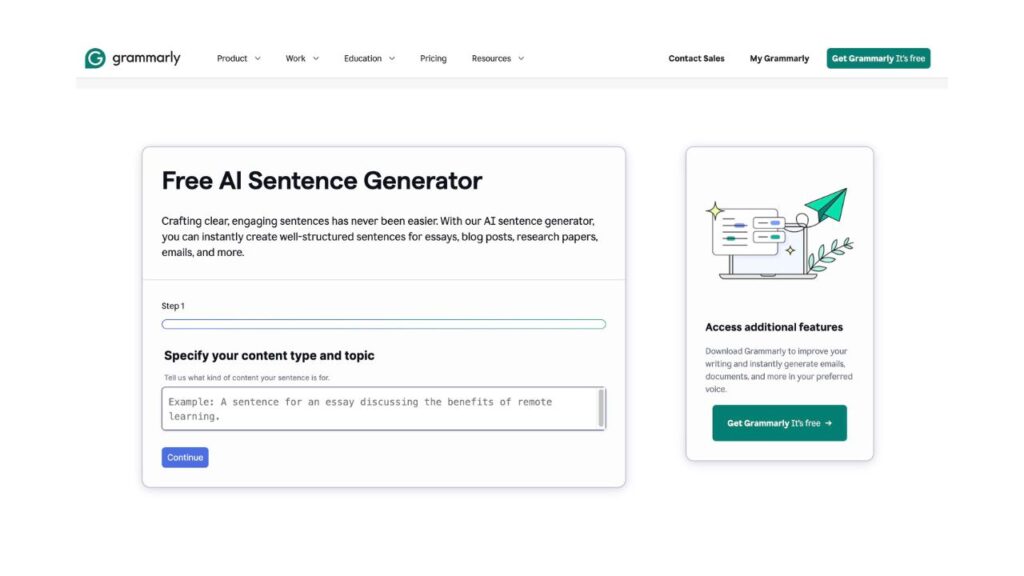
With Grammarly, you have a guided box that takes you step by step through the process. You start by defining the topic and type of content. “A sentence for an Instagram post about an apple diet” is what I typed in. When it asked for more information, I replied with sentences that were warm, clear, and engaging.
Here’s the exact sentence Grammarly generated:
“Feeling refreshed and energized with my apple diet! 🍏✨ Who knew that such a simple fruit could pack so many benefits? Join me on this fruity journey! #AppleADay #HealthyLiving”
The output sounded natural and social-ready. It did not feel stiff or overly AI-written. Grammarly even added relevant hashtags and emojis without being prompted, which is actually amazing for Instagram content.
You can use the sentence generator without signing up or paying, which is a big plus. However, more advanced features across Grammarly usually require a paid plan.
So, what could be improved? Well, there is no clear way to control sentence length. You also cannot choose variations or request multiple options in a single go.
Editpad’s AI Sentence Generator
Website: www.editpad.org/tool/ai-sentence-generator
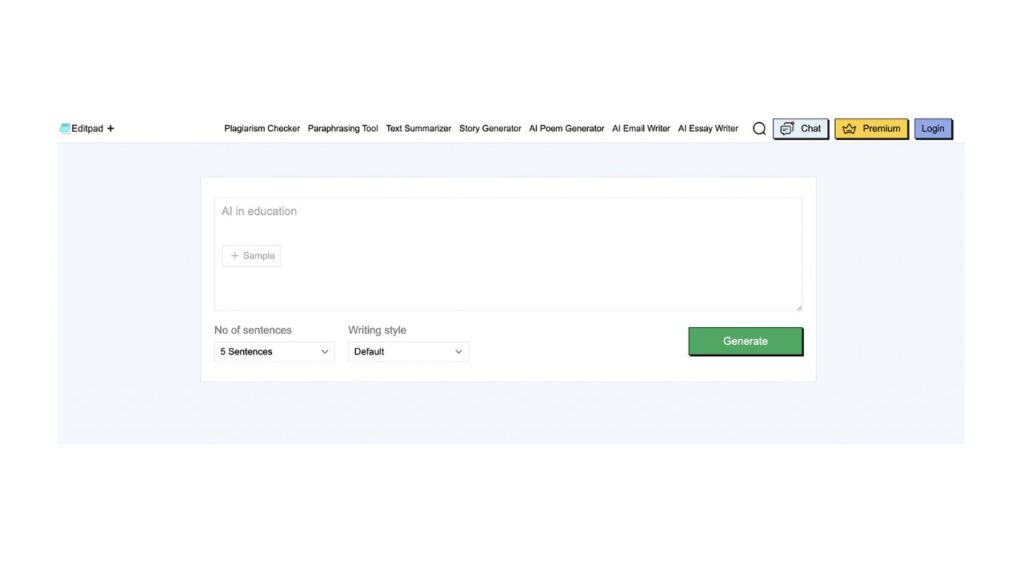
When you open Editpad’s AI Sentence Generator, you are greeted with a plain interface. You type what your sentence is about, or you can use the sample text. You can also choose the number of sentences, from 5 to 30, and select a sentence type like imperative, interrogative, exclamatory, or others. However, you can’t set the tone, intent, or voice.
I wrote “Lavender perfume.” Then choose 5 for the sentence count, and imperative for the type of writing.
The generated output was:
- Experience the calming scent of lavender perfume to soothe your senses today.
- Discover how lavender perfume can transform your mood and energize your spirit, enhancing your daily routine with its beautiful fragrance that lingers elegantly throughout the day.
- Apply lavender perfume lightly on your wrists and neck to enjoy its essence.
- Consider wearing lavender perfume during stressful situations, as its calming scent can reduce anxiety and promote relaxation, allowing you to feel more centered and focused.
- Choose lavender perfume for a refreshing and uplifting scent that brightens your mood.
So, what do I think? Although the generated sentences are grammatically correct, they do sound very generic. Plus, there’s no way to refine results beyond regenerating. Longer outputs feel repetitive.
The upsides are:
- The tool is completely free.
- There is no need for an account or payment.
- Copying, downloading, and clearing results is simple.
- Other free AI writing tools are available on the same platform as Editpad.
Overall, this tool works if you need quick, basic sentence drafts, nothing more, nothing less.
Toolsaday’s Sentence Generator
Website: www.toolsaday.com/writing/sentence-generator
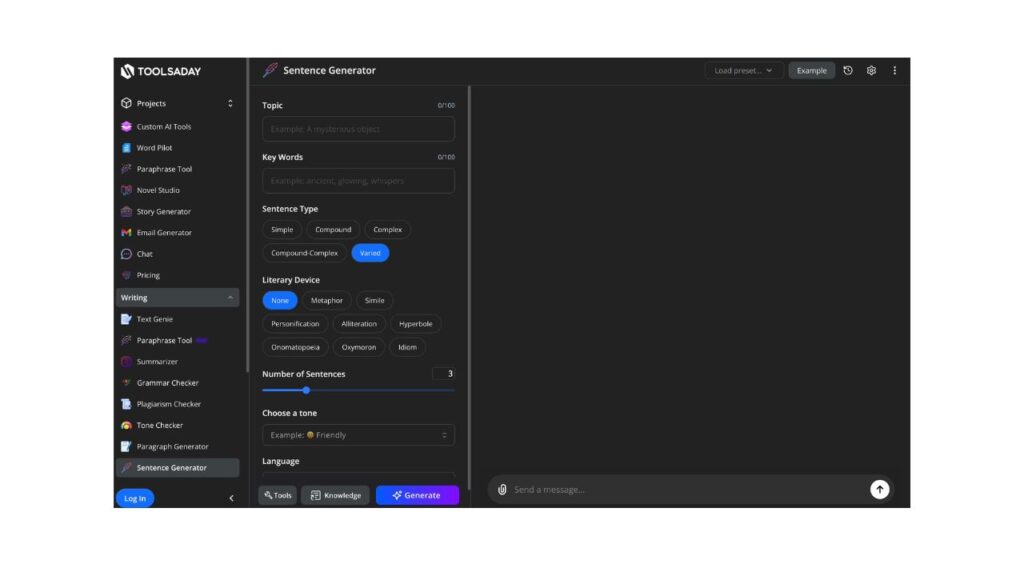
Toolsaday gives you a lot of control upfront, which is great. You can influence topic, tone, sentence type, literary device, and language. The interface looks busy at first, but the steps are clear once you start using it. Most importantly, the tool is free to use – you don’t have to give up your email for basic sentence generation.
Front and center, you’ll find several small input boxes that guide you through building a sentence step by step.
Here’s exactly what I tested:
- Topic: Singing
- Keywords: talent, career, star
- Sentence type: Simple
- Literary device: Personification
- Sentence count: 1
- Tone: Witty
- Language: English
The generated sentence was:
“Talent, with a wink and a microphone, often nudges a promising voice towards a dazzling career as a star.”
The sentence is polished and readable. Plus, grammar and flow are solid. However, the chosen literary device did not fully match the result (the personification felt light rather than intentional).
So, overall, Toolsaday works well if you want more control over how a sentence is shaped. It’s more flexible than basic generators. Still, you should double-check stylistic elements before using the output as final copy.
Betterbugs’ Random Sentence Generator
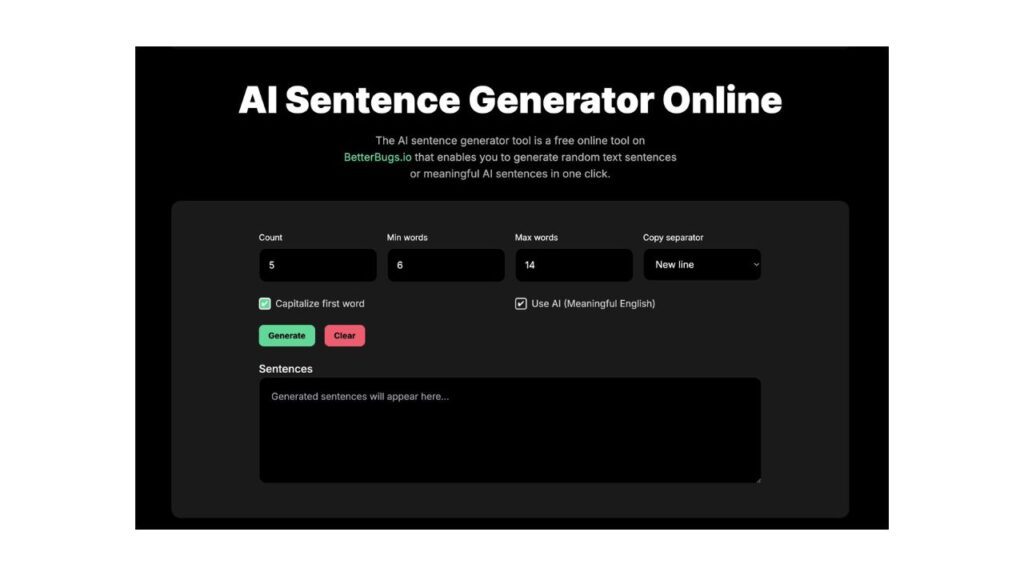
Website: www.betterbugs.io/development-tools/random-sentence-generator
When you land on the page, it briefly explains the benefits, then drops you straight into the generator controls. You can set:
- Number of sentences (no clear upper limit)
- Minimum and maximum word count
- Separator style (new line or blank line)
There’s no place to enter a topic, keywords, tone, or style. Plus, you must toggle “Use AI (Meaningful English)”, or you’ll get random letters.
I tested it with:
- 1 sentence
- 7–15 words
- New line separator
The generated sentence was:
“He successfully expanded his firm’s global market presence through strategic partnerships.”
The sentence is grammatically correct and sounds pretty human, but it’s completely random. Since there’s no way to choose a topic, tone, or intent, the output ends up being disconnected from a real writing goal. The upside, though, is that it is completely free, with no paywalls or locked features.
Betterbugs’ Random Sentence Generator feels more like a last-resort idea spark than a real writing tool. It works if you’re completely blank and just want something to react to, but it doesn’t help much if you have a specific goal in mind. The randomness is both its strength and its biggest weakness.
Final Thoughts
Which one is the best? If I had to pick one, it would be Grammarly because it’s quick and easy to use, and the output requires minimal editing. In any case, treat sentence generators as supplements rather than substitutes. And if you want to make the AI-generated sentences better, make sure to check our rewrite sentence guide.