

If you’ve ever stared at your inbox, frozen by five unanswered messages and a cold pitch that needs to sound warm and personal, this article is for you. We tested free AI email generators to see which ones are worth your time and which ones add more noise.
Grammarly’s Free AI Email Writer
Website: https://www.grammarly.com/ai/ai-writing-tools/email-writer
The first AI email writer we tested was Grammarly’s AI email writer—yes, Grammarly, the online writing tool that has been saving countless writers from sentence fragments and punctuation mistakes.
Our expectations were low, given that Grammarly is not particularly known for its AI content generation capabilities, but we were pleasantly surprised.
Ease of Use
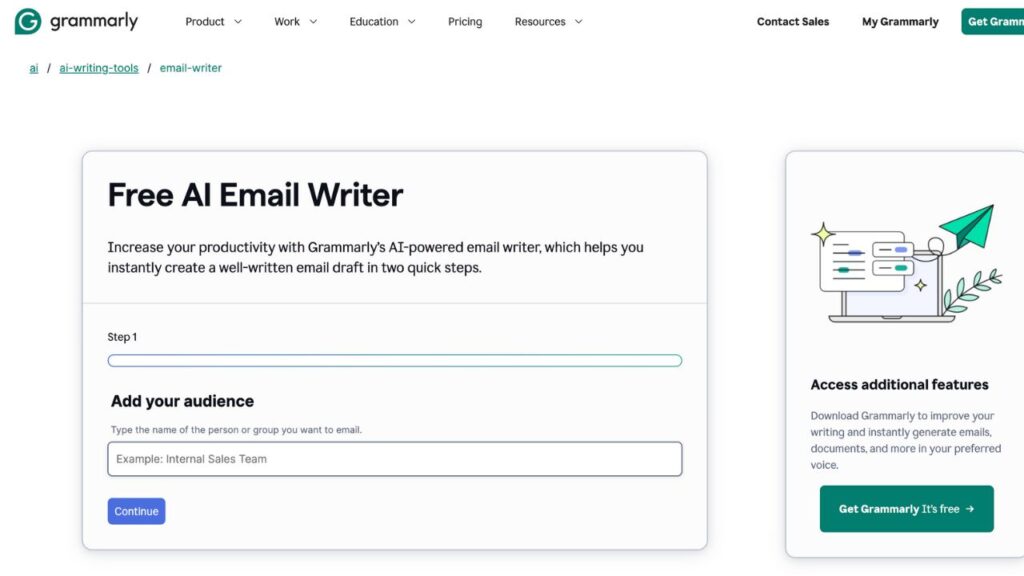
Instead of bombarding you with several personalization options, the entire process is broken down into two steps:
- Step 1 asks you to type the audience (someone’s name or a group) to whom your email is directed.
- Step 2 asks you to provide key details of your email, including the tone.
Then, you wait a few seconds, and you get an email ready to send. Overall, you won’t get confused or frustrated using this free online AI email writer.
Output
The grammar? Flawless—no surprise there, it’s Grammarly. The tone and style? Surprisingly human. But there’s nothing groundbreaking, to be honest.
If you don’t give it enough context and details (in step 2), it will make up information. So, make sure to always proofread the generated email before sending it!
Other Notes:
- Yes, it’s actually free.
- No login is required, and you don’t have to join Grammarly Premium.
- You get full access without sneaky paywalls or 7-day trials.
What Could Be Improved:
- Let me choose the length of the email
- A back button so you don’t have to start over when you forget to add something in step 2.
Mail Meteor AI Email Writer
Website: https://mailmeteor.com/tools/ai-email-writer
If you find Grammarly’s free AI email writer still too complex, Mail Meteor AI Email Writer is simpler.
Ease of Use
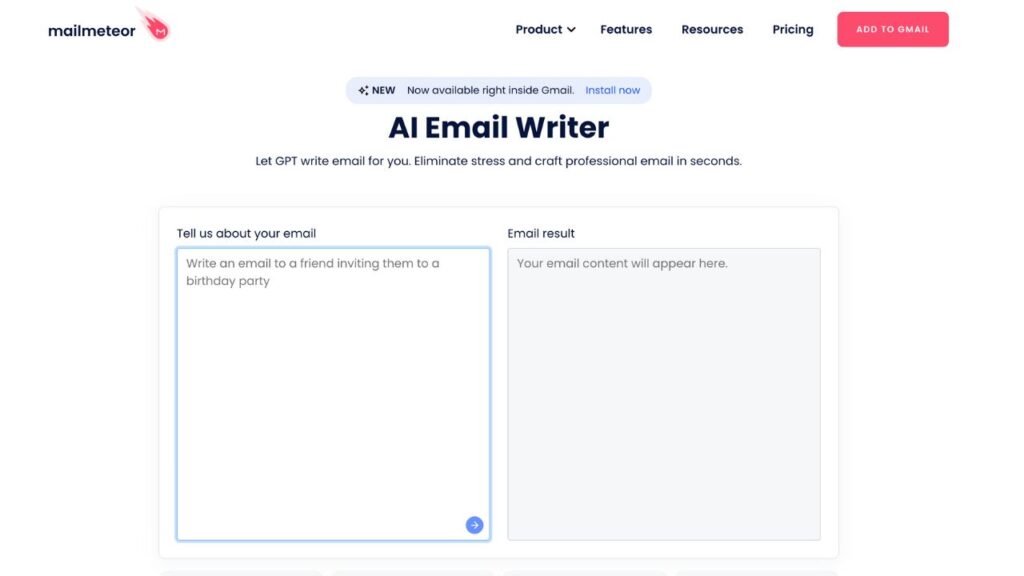
When you open the Mail Meteor AI email writer, you are met with a clean, user-friendly interface. You type in your prompt or email context under ‘Tell us about your email,’ click the arrow button, and the email message appears immediately under ‘Email result.’
Output
Well, the grammar is solid. But the style of the AI-generated content? It’s fine, but not exactly memorable.
The trick here is to actually write a specific prompt, like requesting a particular tone, for example, and not just describe the content.
The AI keeps intros short, the body clear, and calls to action obvious. So, if you’re in a rush, it’s a helpful base to build on. However, if you want more customization, some rewriting is necessary.
There are three editing options: Formalize, Elaborate, and Shorten. You can access them by clicking the magic wand.
Other Notes:
- Yes, this AI tool is totally free and doesn’t gate you with surprise paywalls.
- You don’t need to provide your personal information to generate a professional email.
- No templates or advanced personalization yet.
- I’d love to see fields for more context: recipient name, relationship type, or even subject line suggestions.
- Give me options to regenerate or tweak the tone without retyping everything.
- Mailmodo’s Free AI Email Writer
Mailmodo’s Free AI Email Writer
Website: https://www.mailmodo.com/tools/ai-email-writer/
Mailmodo’s free email writer feels like someone actually thought about what makes writing emails hard and tried to make it fun, easy, and surprisingly human.
Ease of Use
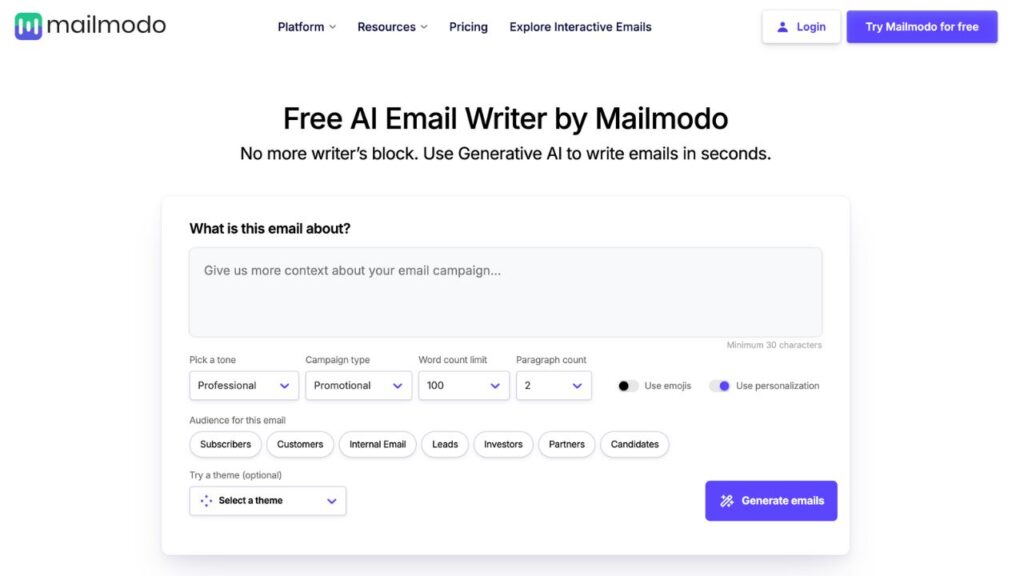
The interface is smooth, modern, and just friendly to use. Despite having several customization options, I didn’t feel like I was filling out a tax form. You get several drop-downs to customize:
- Tone (from “Professional” to “Funny” or “Emotional”)
- Audience (Customers, Investors, Candidates, Leads, etc.)
- Purpose (Promotional, Newsletter, Product Update, Event, etc.)
- Word count limit (Up to 1000)Paragraph count (Up to 5)
- Theme (A unique and cool feature. You can select from “90’s” to “Harry Potter”)
Output
Overall, the tone matches what you’ve picked, and it even incorporates a few natural phrases. But was it perfect? Almost. During my tests, I had to tweak the CTA and swap one paragraph that was a little stiff.
Other Notes:
- You have the option to create an account or try it for free.
- The level of personalization is top-tier for a free tool.
- They also pitch you their email marketing platform, but it doesn’t force itself upon you.
What Could Be Improved:
- Option to save my tone/audience presets.
- Add subject line suggestions.
- Maybe offer a “casual but still smart” tone.
AIm Reply
Website: https://aimreply.com/
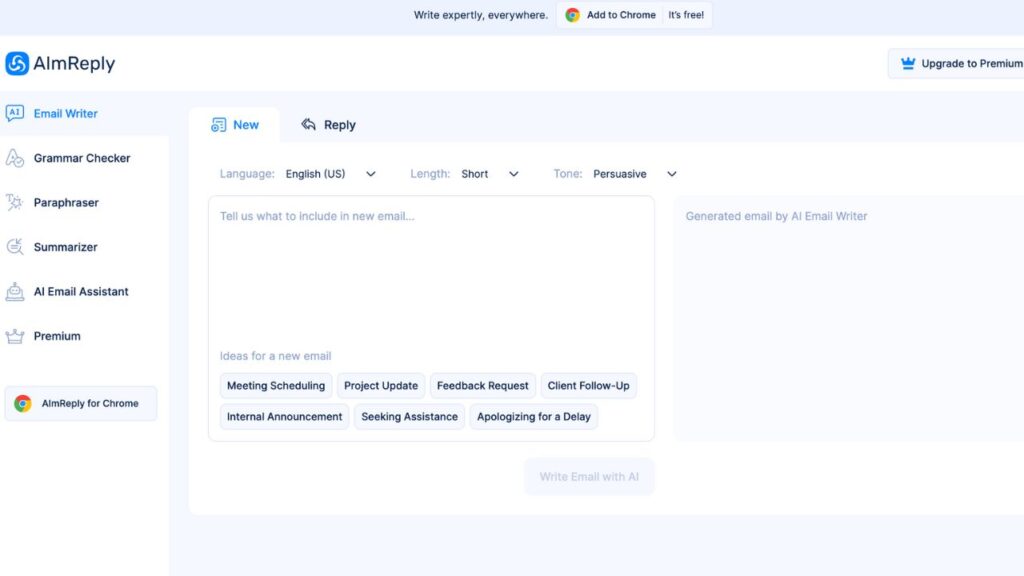
Unlike the other AI email writers we’ve seen so far, AIm Reply has different tools that are easily accessible from the left section of its homepage.
Aside from Email Writer, it has a Grammar Checker, Paraphraser, Summarizer, AI Email Assistant, and a Premium option. This last option offers a limitless Grammar Checker, Paraphraser, Summarizer, a faster processing speed, and priority support, compared to the free one.
Ease of Use
The interface of this AI email tool is crisp, uncluttered, and easy to navigate. However, don’t expect extensive customization options, as you can only change the tone.
You can also choose the length of the email and the language (with helpful distinctions like British vs. American English).
There is an option to reply to an existing email, by the way.
Output
The generated email is technically acceptable. The grammar is on point, and the structure is solid. But it reads like something a very polite assistant would write—there is no warmth, no sass, and no spark (even with a humorous tone). You could send it as-is, sure, but I’d personally do a bit of editing to make it sound more “me.”
Other Notes:
- Yes, it’s actually free, but there’s a Premium option.
- It’s surprisingly fast.
- There is little personalization, resulting in outputs that are somewhat similar.
What Could Be Improved:
- Needs a little “you” magic, something to help it adapt to my voice.
- Feels like it plays it too safe, which can be a downside in creative or persuasive emails.
Hiver HQ Email Generator
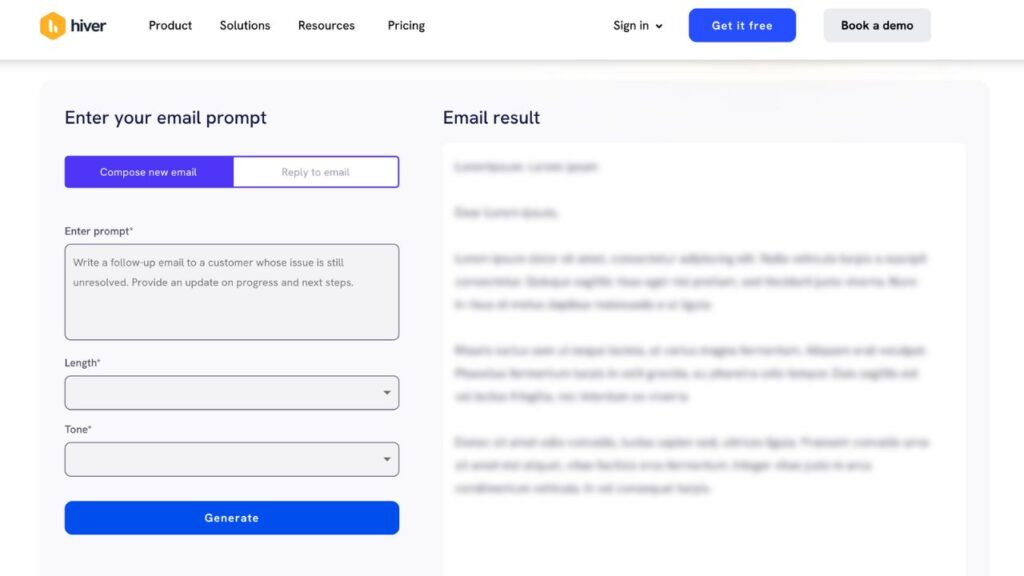
Website: https://hiverhq.com/tools/free-ai-email-generator
If your inbox gives you anxiety and you just need a decent draft to get things moving, Hiver HQ’s AI Email Generator might just be your new favorite tool.
Ease of Use
Honestly? Super straightforward.
The interface is straightforward, minimal, and intuitive. You get to choose the tone of the email (professional, casual, or friendly) and its length. I especially liked that you don’t need to dig through tabs or instructions; it’s click, fill, go.
Another great feature is its ‘Reply to email’ feature. It asks you to fill in about the same boxes (a prompt, a desired length, and the tone) and an additional box where you can enter the entire email you need to respond.
Output
The tone attempts to sound human, and depending on the input, it gets remarkably close. Overall, it’s a great contender for the best free AI email writer.
Other Notes:
- It’s free and fast.
- More suitable for everyday business emails.
- Not great for more creative or emotional messaging.
- Limited custom fields, but it covers the essentials.
What Could Be Improved:
- More tone options would be great (what about “witty” or “empathetic”?).
- Some outputs feel generic.
- Doesn’t offer subject lines.
AI Free Box
Website: https://aifreebox.com/list/ai-email-generator
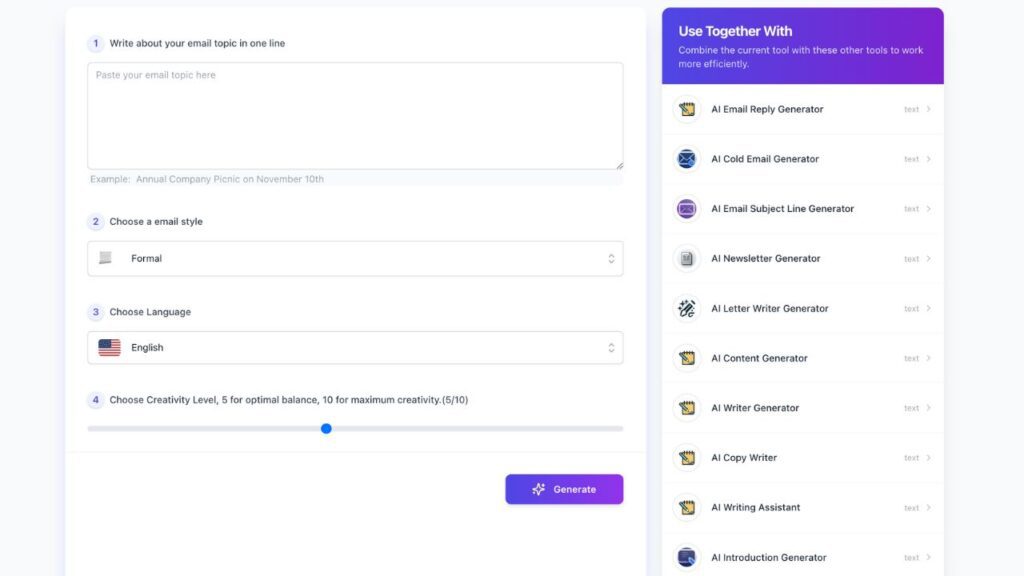
AI Free Box appears to be just another email writing tool. But there’s one thing that sets it apart: the creativity level bar.
Ease of Use
This tool doesn’t ask for much, just a short prompt about the content of your email (it has various styles), the language (a lot of them, compared to similar tools), and then (my favorite part), you choose a creativity level from 1 to 10.The interface? It’s not fancy, but it’s so light and breezy that you almost forget it’s a generator (with emojis and everything).
Output
Like other tools we’ve reviewed, the grammar is clean, and the structure is surprisingly solid. Tone-wise, it varies depending on the level of creativity.
If you keep it low (say 2–4), it leans toward safe and robotic. Once you move into the 7+ zone, things get more expressive, more playful, and occasionally even clever.
It’s not perfectly human, but you can definitely tweak it easily into something that sounds like you.
Other Notes:
- Itis completely free, with no sign-up required.
- Very responsive (no wait times).
- Doesn’t overwhelm you with too many options.
- You can instantly copy the output with a single click.
- No saved history or account-based features.
What Could Be Improved:
- A subject line option would be handy.
- A bit more customization (e.g., audience type, format) could make it even stronger.
- Would love some examples or guidance when choosing creativity levels.
Not All Robots Are Created Equal
If you’re wondering whether AI email generators are worth it, the answer is that it depends on what you need.
Some tools (like Mailmodo or AI Free Box) actually add creative fuel to your email writing game. Others, like Grammarly or Hiver HQ, are reliable time-savers that help get the job done faster—just don’t expect a confetti-level personality.
Bottom line? If you’re a busy professional looking for clarity, speed, and a good starting point, AI can totally lighten the load as long as you’re still in the driver’s seat when it comes to voice and final polish. And if you don’t like the tone, ChatGPT can help polish emails.
So, go ahead and try a few AI-generated emails. Your inbox might just thank you.