

If you need an extra push to write a chapter in your history, AI generators might be just what you need. But could they really help, or are they just a waste of effort, time, and money?
Let’s look at how these AI chapter generator tools actually perform, where they help, and where they fall short.
Toolsaday Story Chapter
Website: www.toolsaday.com/writing/story-chapters
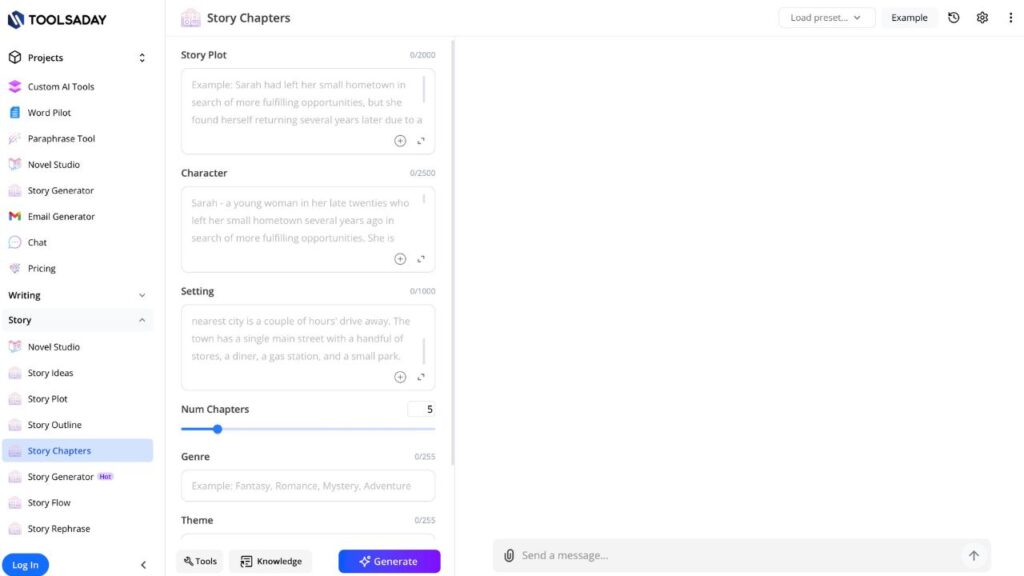
Toolsaday’s Story Chapter Generator is easy to navigate and doesn’t feel cluttered —the layout is clear, with structured input fields for plot, characters, setting, genre, tone, and language. Plus, I could control the number of chapters and adjust the tone without signing up.
The output starts with a brief planning outline, then moves into whole chapters. Although the writing is clear and detailed, it reads like it was generated by AI. Here’s a snippet:
“Miriam’s fingers trembled as she pried open the rusted metal box beneath her bed. For sixty-two years, she’d believed it held nothing more than faded photographs and unopened letters from a distant cousin. Tonight, in the electrified hush of her cramped apartment, she felt a pulse—almost a whisper—urging her forward.”
The scenes could be more succinct, the descriptions are a little heavy, and the sentences are very long. Nevertheless, the framework is sound and helpful for brainstorming or initial drafts.
What works well:
- No account required
- Strong customization options
- Clear chapter organization
What needs improvement:
- Overly verbose output
- No citations or originality checks
- Paid tools are pushed near the generate button
Easy-Peasy.AI’s Free AI Chapter Generator
Website: www.easy-peasy.ai/templates/chapter-generator
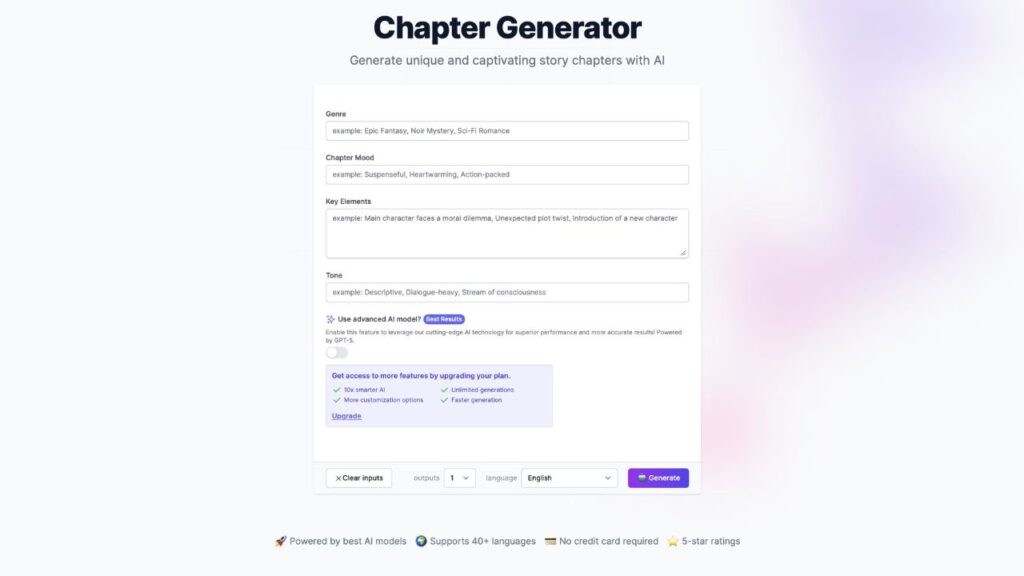
The Easy-Peasy.AI’s chapter generator is very easy to use. The interface looks clean, light, and friendly. It also has clear input fields for genre, mood, key elements, and tone. You can influence the output freely, including language choice.
The downside? For advanced options, you need to pay. Plus, there’s no clear way to set chapter length, which limits control if you want shorter or longer sections.
The output reads smoothly and is grammatically solid, though the storytelling leans heavily on familiar tropes.
In my test, choosing sci-fi resulted in predictable elements like a robotic kind of Blade Runner mood. Something to keep in mind: Creating content is free, polishing it is not.
Here’s what this tool generated:
“The morning mist, artificially scented with lavender and ozone, clung to the polished chrome of the apartment complex. Lara, 82 years young, hummed a forgotten tune as her automated breakfast dispenser served perfectly sculpted nutrient paste. Her apartment, like all others in Neo-Veridia Sector 7, was a symphony of minimalist design and intuitive technology. Sunlight, filtered through smart-glass windows, painted geometric patterns on her spotless floor.”
What could be improved:
- A slider for word count or chapter length
- Integrated summaries for rapid edits
- Reduced use of genre clichés
- Increased control without upgrading
Copylime’s AI Book Writer Generator
Website: www.copylime.com/ai-tools/book-writer-generator
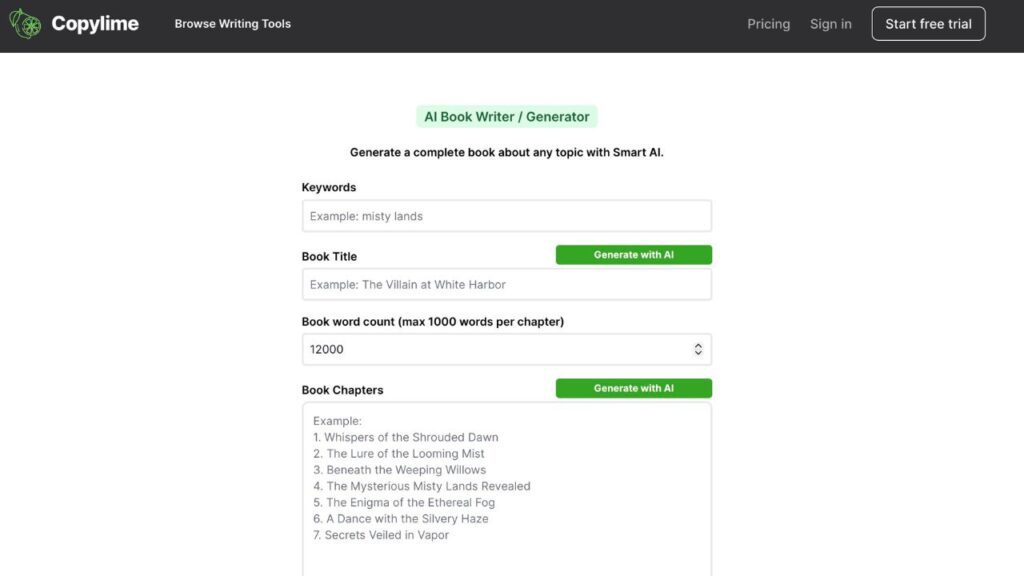
So, the Copylime’s AI Book Writer Generator is more of a writing suite for a whole book than just a chapter creator tool. Like Easy-Peasy’s and Toolsaday’s AIs, its interface is really structured and gives you solid control through inputs like title, chapter name, word count, genre, tone, plot, and characters.
Unfortunately, this tool requires you to create an account and share your email to use it, even for free.
What works well
- Feels like a full writing suite, not just a chapter generator
- Great control over inputs like title, tone, genre, plot, and characters
- An AI assistant for each segment if you’re stuck on ideas
What could be improved
- Requires account creation and email, even for free use
BasedLabs’ AI Chapter Generator

Website: www.basedlabs.ai/tools/ai-chapter-generator
BasedLabs’ AI Chapter Generator makes a strong first impression. It welcomes you with a dark, minimalist interface and a single prompt box that asks, “What would you like to create?”
Here you can describe your chapter idea in detail, choose between multiple AI models (GPT, Gemini, Llama, Claude), and even browse pre-made prompts.
On the surface, it feels flexible and modern, like a tool built for creative control.
The good, the bad, and the ugly:
- Ease of use: The input process is simple and beginner-friendly, but you never actually reach the chapter output without registering.
- Output quality: Impossible to fully evaluate; no chapter is generated without an account. That’s a major downside for a review-based test.
- Free to look at: Technically free to look at, not free to use.
- What can be improved: Allow at least one full chapter to be generated without registration. If users can’t test the output, they can’t trust the tool.
MaxAI’s AI Chapter Writer Pro
Website: www.maxai.co/ai-tools/ai-writer/write-an-informative-chapter-for-a-book/
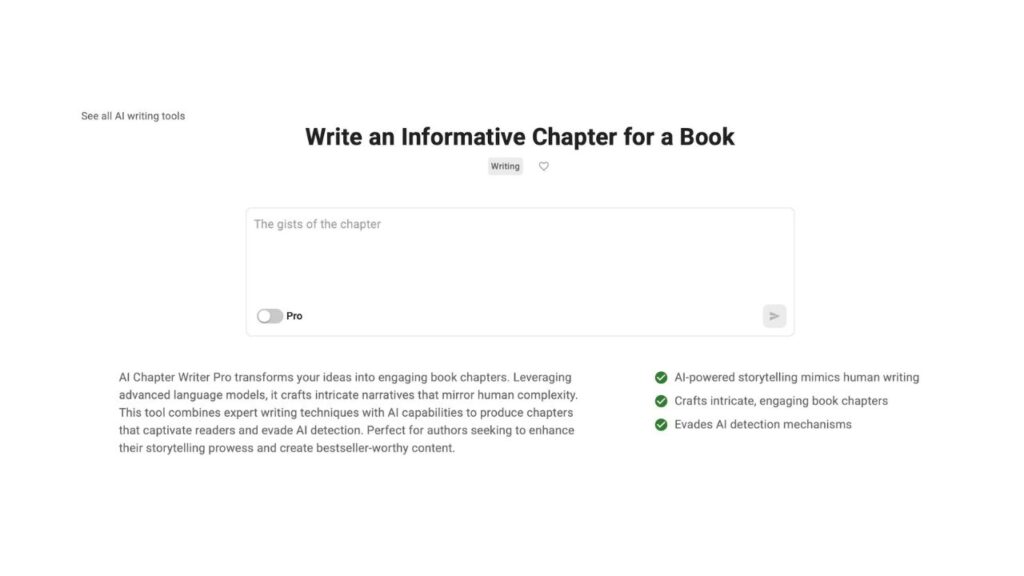
MaxAI’s AI Chapter Writer Pro looks clean and familiar right away. You get a minimal interface with one main text field called “The gists of the chapter,” plus a Writing tab that leads to other tools.
There’s also a sidebar nudging you toward a Chrome extension, registration, and extra file-based features. At first glance, it might be the perfect AI chapter generator.
Then you try to actually use it, and that’s where things fall apart. I entered a full plot with characters, genre, theme, and tone, hit the generate arrow, and immediately got a registration pop-up.
I closed it, and everything I had written disappeared — No sample output, no partial chapter, nothing. The “Pro” label doesn’t help either; it just reinforces that you won’t get far without signing up.
What works, and what doesn’t:
- Ease of use: Clean and intuitive layout, but progress stops the moment you try to generate.
- User control: You write what you want.
- Fake free access: Not free at all. To have any results, you have to register.
- Must improve: Let users create at least one chapter without registering, and don’t remove their writing.
Final Thoughts
AI chapter generators are truly helpful if they let you actually test them. And as you might notice, most options require at least signing up.
Bottom line: AI can speed up outlining and first drafts, but you still need to choose tools that respect your time, your work, and your curiosity.
If you want to write your first novel with the help of AI, reading our beginner-friendly guide on how to begin writing a book can lead you to the right path.